
Hey there, animation enthusiast! Welcome to the vibrant world of animation, where creativity knows no bounds and imagination takes flight. In today’s digital landscape, animation has become a powerful tool for storytelling, entertainment, education, and marketing. Whether you’re a budding animator or simply curious about the art form, this article is your ticket to unlocking the magic of animation creation.
Animation is more than just moving images on a screen – it’s the art of bringing characters, objects, and stories to life through a series of carefully crafted movements. From classic 2D cartoons to cutting-edge 3D animations, the possibilities are endless.
Animation plays a vital role in captivating audiences and conveying messages in a visually engaging manner. Whether it’s a whimsical short film, an informative explainer video, or a captivating advertisement, animation has the power to evoke emotions, spark imagination, and leave a lasting impression.
To create compelling animations, it’s essential to understand the fundamental principles that govern motion and dynamics. These principles include timing (the speed and rhythm of movements), squash and stretch (adding weight and flexibility to objects), and anticipation (building anticipation before an action occurs).
Now that you’re eager to dive into animation, let’s talk about the tools of the trade. There’s a wide range of animation software available, each with its own unique features and capabilities. Popular options include Adobe Animate, Toon Boom Harmony, and Blender.
To help you make an informed decision, let’s compare these software options based on factors like user-friendliness, versatility, and pricing. Whether you’re a beginner on a budget or a seasoned animator looking for advanced features, there’s a software that’s right for you.
When choosing animation software, it’s essential to consider your specific needs and preferences. Do you prefer a traditional frame-by-frame approach or a more streamlined workflow? Are you looking for integrated tools for character rigging and animation? By taking these factors into account, you can find the perfect software to suit your style.
Before you start animating, it’s crucial to lay the groundwork with a storyboard. Think of a storyboard as a visual blueprint that maps out your animation scene by scene. By sketching key frames and defining camera angles, you can visualize the flow of your animation and identify any potential challenges.
Creating a storyboard doesn’t require fancy drawing skills – all you need is a pencil and paper (or a digital drawing tablet if you prefer). Start by outlining the main beats of your animation, then flesh out each scene with rough sketches and notes. Don’t worry about perfection – the goal is to capture the essence of your animation.
In addition to storyboarding, effective planning is key to a successful animation project. Take the time to identify your target audience, define your goals, and establish a realistic timeline. By setting clear objectives and milestones, you can stay focused and motivated throughout the animation process.
Now it’s time to get creative and design your animation assets. Whether it’s vibrant backgrounds, quirky props, or memorable characters, every element contributes to the overall look and feel of your animation. Experiment with different styles and techniques until you find the perfect fit for your project.
When it comes to character design, there are no rules – only endless possibilities. Focus on creating characters that are visually appealing, emotionally engaging, and true to the story you want to tell. Pay attention to details like silhouette, proportions, and facial expressions to bring your characters to life.
To bring your animation assets to life, you’ll need the right tools and software. Programs like Adobe Illustrator and Photoshop are essential for creating vector-based artwork and raster images, while specialized animation software like Adobe Character Animator can streamline the character rigging and animation process.
Now comes the fun part – animating your scenes and sequences! Whether you’re animating a simple bounce or a complex character movement, it’s essential to understand the fundamentals of animation. Concepts like keyframes, timing, and motion paths will be your best friends as you bring your animation to life.
To help you get started, here’s a step-by-step guide to animating scenes and sequences:
Once you’ve mastered the basics, it’s time to level up your animation skills with some advanced techniques. Experiment with techniques like squash and stretch, anticipation, and follow-through to add depth and personality to your animations. Don’t be afraid to push the boundaries and let your creativity shine!
Sound design and music play a crucial role in enhancing the overall impact of your animation. Whether it’s background music to set the mood or sound effects to add realism, audio can take your animation to the next level and immerse viewers in your storytelling world.
When adding sound to your animation, consider factors like timing, volume, and placement. Use sound effects sparingly to avoid overwhelming the viewer, and pay attention to details like spatial audio and stereo imaging to create a more immersive experience.
Don’t let licensing restrictions hold you back – there are plenty of resources available for finding royalty-free music and sound effects. Websites like Epidemic Sound, AudioJungle, and FreeSound offer a vast library of high-quality audio assets that you can use in your animations without worrying about copyright issues.
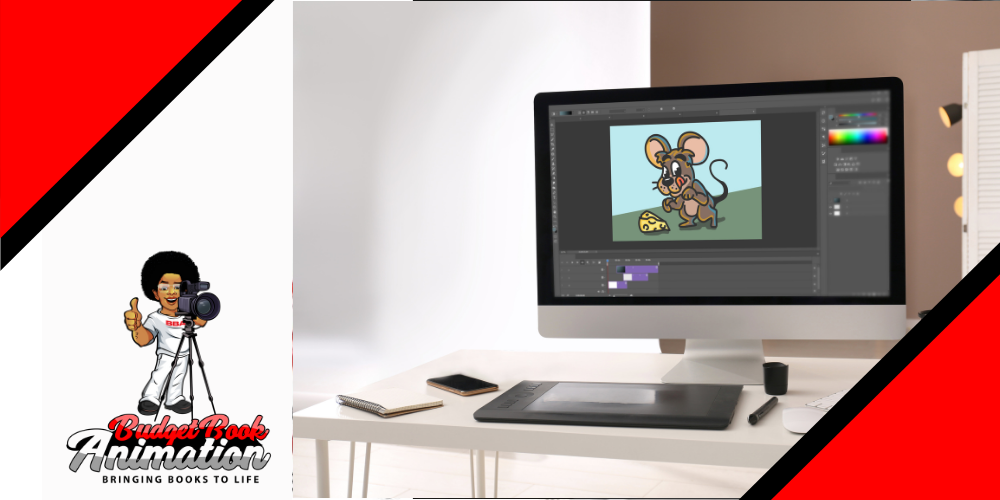
Congratulations – you’ve completed your animation masterpiece! Now it’s time to share it with the world and showcase your talent to a global audience. But before you hit the share button, let’s talk about the best practices for exporting and sharing your animations.
Most animation software offers a variety of export options, allowing you to save your animations in formats like GIF, MP4, and MOV. Consider the platform where you’ll be sharing your animation and choose the appropriate format and settings to ensure optimal playback quality.
To reach a wider audience, it’s essential to optimize your animations for different platforms and devices. Consider factors like file size, resolution, and aspect ratio to ensure compatibility across desktop, mobile, and social media platforms.
Once your animation is ready for the world to see, it’s time to promote it far and wide. Share your animation across social media channels, embed it on your website or blog, and submit it to animation festivals and competitions to gain exposure and recognition for your work.
Phew – we’ve covered a lot of ground in this article.
Get notified about the best animation tools